
Tired of Juggling UPS, FedEx & USPS? Why a Tracking App Helps


The Hidden 'Admin Tax' on Your Growing Business
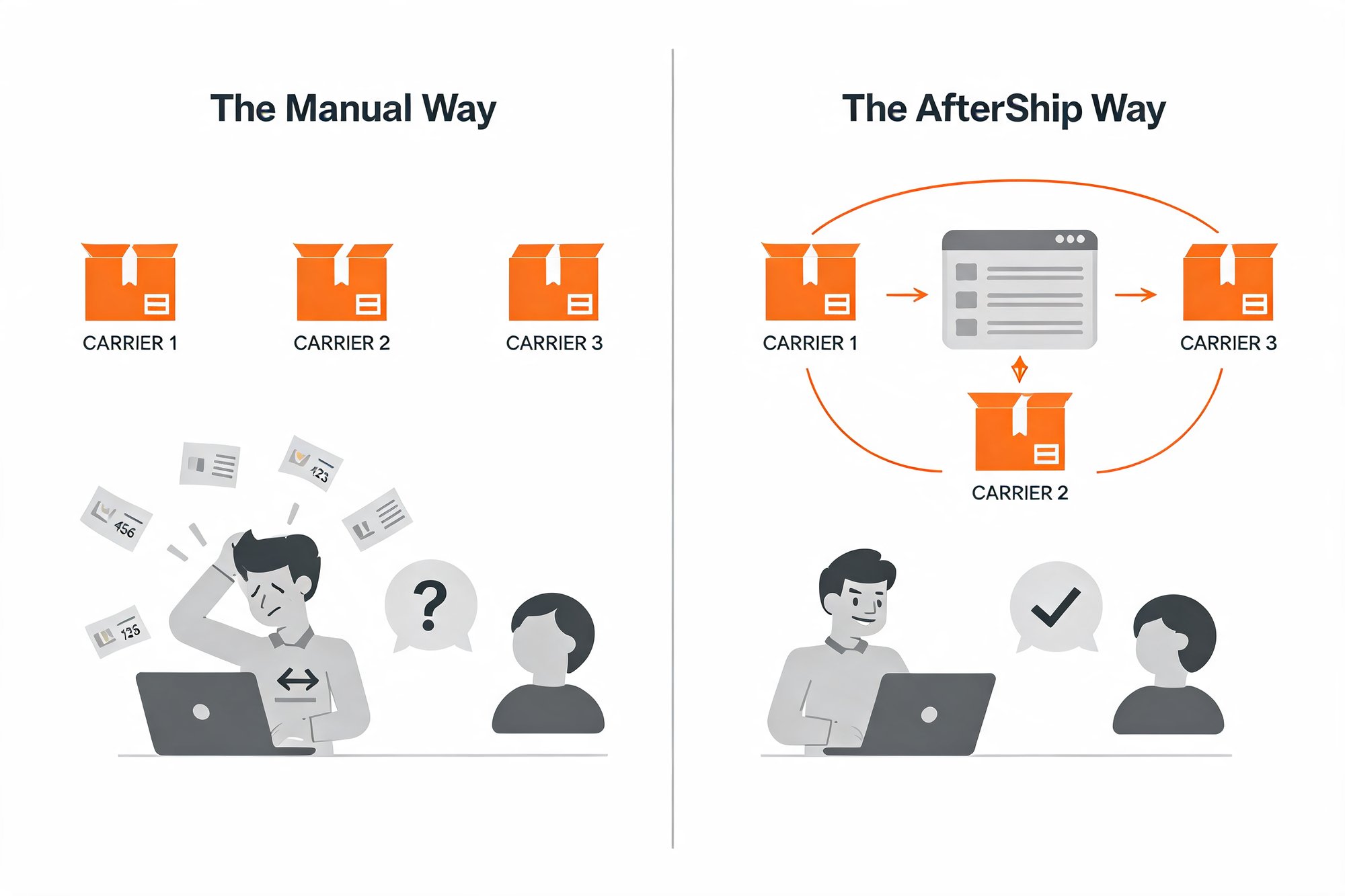
How many browser tabs do you have open right now? One for a UPS tracking number, another for FedEx, and a third for a USPS shipment? If you're running a growing business, you know this manual copy-paste routine is a major time-waster.
Here is what that routine actually costs you. Say each package takes about 2 minutes to look up: find the number, open the right carrier site, paste it in, read the status, and try to remember it. To be clear, that 2 minutes is an illustrative example, not a measured stat, but it is close to reality for most small shops. Ship 10 packages a day and you are spending roughly 20 minutes daily, or about 10 hours a month, just checking on boxes.
Call it the "admin tax." It is the invisible fee you pay for running your shipping like a logistics department instead of a business.
The real cost is not only the minutes, though. Every time you jump between carrier sites, you also pay a focus penalty. A 2022 Harvard Business Review study found that workers toggle between apps and websites roughly 1,200 times a day, eating up about 9% of their workweek. Those little context switches are why a "quick" tracking check somehow swallows your whole morning.
Then comes the moment that turns admin into anxiety: your first "Where is my order?" email. It is a small message, but it is a signal that your customer experience is starting to crack. You are now reacting to problems instead of staying ahead of them. And shoppers notice fast; on average, they check tracking about 4.6 times per online purchase.
The good news? This is a solved problem. You just need the right tool.
What is a Universal Package Tracker, Anyway?
Think of it like a single remote control for every TV in your house. Instead of hunting for the right one each time, you press one button and everything responds.
A universal package tracker does the same thing for your shipments. It connects to all the major carriers and pulls every order's status into one clean dashboard, so you stop bouncing between UPS, FedEx, and USPS websites. That is the heart of what real-time shipment tracking actually means: live delivery status for every package, in one place.
AfterShip tracks 1,100+ carriers, and the big four you actually use, UPS, FedEx, USPS, and DHL, are all covered on the Free plan. One login, every shipment, no more tab juggling.
So why don't the carriers' own free tools solve this? They are useful, but they are built for a different job. UPS My Choice, FedEx Delivery Manager, and USPS Informed Delivery are recipient-facing, inbound tools: they help a person manage packages arriving at their own address, one carrier at a time. USPS Informed Delivery is open to residential, business, and PO Box addresses, but it still only shows you USPS mail.
That is the gap. As a seller, you need the opposite: one outbound view of everything you have shipped, across every carrier, without logging into three separate accounts. A universal tracker gives you exactly that.
3 Ways an App Replaces Chaos with Calm
Once your packages live in one place, the daily chaos quietly disappears. Here are the three changes you will feel first, and exactly what each one costs (or doesn't) on the Free plan.
- 1. One dashboard to rule them all. No more tab-switching or hunting for the right carrier site. Every shipment sits in one list with its current status, from a domestic UPS delivery to tracking international shipments. You glance once and you are caught up. This is free.
- 2. Spot problems before your customer does. On the Free plan, every shipment lands in that one dashboard, so you can scan it once a day and filter straight to the exceptions and delays. That alone is far more proactive than waiting for a complaint to arrive. When you want the app to flag problems automatically and email or text both you and your customer, that is the Essentials plan ($11/month). Automatic alerts are not part of Free, but catching an issue with a daily glance still beats hearing about it from an angry inbox.
- 3. Give customers an answer (without you). Instead of sending shoppers to a confusing raw carrier page, you point them to a clean tracking page that shows status, carrier, and estimated delivery date. On Free, that page carries your store's details and looks tidy and trustworthy. Add your logo on Essentials, and put it on your own custom domain on Premium.
Each of these swaps a reactive scramble for a calm, repeatable routine. The difference is easiest to see side by side.
| Criterion | The Manual Method | AfterShip (Free Plan) |
|---|---|---|
| Time spent per package | About 2 minutes each (illustrative): find the number, open the right carrier site, paste, read, remember | Open one dashboard for every package |
| See all shipments at once | No, one carrier website at a time | Yes, a unified view across 1,100+ carriers |
| Proactive problem-solving | Reactive, you learn of a delay when the customer emails | Partial on Free: you scan the exception view yourself; automatic email and SMS alerts require Essentials ($11/month) |
| Customer experience | Customer hunts on a raw carrier site | A clean, store-associated tracking page on Free (your logo on Essentials, your own domain on Premium) |
| Cost | 'Free,' but paid for in your time | $0 for up to 50 shipments per month (counted per tracking number) |
Your First Step to Winning Back Your Time in 2026
You started this article juggling browser tabs. Picture the other version of your week: every shipment in one view, problems caught with a glance, and customers who can answer their own "where is it?" question. That is the whole shift, from reactive and scattered to organized and calm.
The real win is not tidier tracking. It is the time you get back. The hours you were losing to copy-paste become hours for marketing, for product, or simply for stepping away from your desk. Tracking should run quietly in the background so you can run the business.
And here is the honest part: most small shops can stay on the Free plan for a long time. You only need to move up to the $11/month Essentials plan when one of three things becomes true:
- You want the app to send automatic delay alerts to you and your customers, instead of scanning the dashboard yourself.
- You want your own logo on the tracking page (your own custom domain comes with Premium).
- You regularly ship more than 50 packages a month, past what the Free plan's per-tracking-number limit covers.
Until then, Free does the job. No pressure, no contract, no reason to overbuy.
Great app with very helpful support. Karan from AfterShip support was patient, professional, and solved my CSV tracking import issue quickly. Saved me a lot of time. Highly recommended.
amerivale, United States, February 2026
So take the first step today. Connect your store, watch every package land in one place, and feel how much lighter the day gets when tracking takes care of itself. You can even track a package now to see it in action before you commit to anything.
See every package from every carrier in one clean dashboard. Start free with up to 50 shipments a month.
Start for freeFrequently Asked Questions (FAQ)
Running a small shop, not a warehouse? Here are honest answers to the three things most sellers ask before they try it.
Is a tracking app expensive for a small shop?
No. The Free plan is $0 for up to 50 shipments a month, counted per tracking number (for most small shops, that works out to roughly 50 orders). If you ever outgrow that, the first paid step is Essentials at $11 a month. There is no big upfront cost and nothing to commit to just to get started.
Is a tracking app hard to set up?
On Shopify, it is a one-click install. On Etsy, it takes one extra step: you export your shipped orders with their tracking numbers and bulk-upload that file to AfterShip. Still simple, still free, just a quick CSV import rather than a single click. Either way, you are tracking everything in one place within a few minutes.
Will my customers actually use a tracking page?
Yes, more than you would expect. Shoppers check tracking about 4.6 times per online purchase, so they are already looking for updates. A single clean tracking page meets them where they are and answers the "where is my order?" question before it ever reaches your inbox.