
Tired of Managing Returns Via Email? Here's the Fix


The Real Cost of Your "Free" Email Returns Process
How much of your team's day is spent forwarding emails and making return labels?
If the honest answer is "more than I'd like to admit," you're not failing at operations. You're outgrowing a process that quietly stopped scaling. Handling returns over email feels free because there's no line item for it. But the cost is real; it's just buried in your team's calendar, your refund errors, and your customers' patience.
Consider a common pattern: a small support team at a growing brand can spend roughly 10–15 hours a week untangling returns by email: reading "can I return this?" threads, looking up orders, generating labels one at a time, and chasing "where's my refund?" follow-ups. That range is an illustrative example of what merchants frequently report, not a measured AfterShip statistic, but if it sounds familiar, that's the point. Those hours are the most visible tax. They aren't the only one.

Here's where a "free" email returns process actually charges you:
- Wasted hours. Every return becomes a manual, multi-message conversation. Time that should go to growth gets spent copy-pasting policies and creating labels by hand.
- The cost of errors. Manual steps invite mistakes: the wrong label, an approved return that should have been declined, a refund issued twice. Each error costs money and triggers another round of email.
- Poor customer experience. Shoppers wait hours or days for a reply when they expect an instant, self-serve answer. A clunky return is often the last impression a first-time buyer takes away.
- No data. An inbox can't tell you your return rate, your most-returned SKU, or why items come back. Without that, you're guessing at decisions that directly affect your margin.
Manual returns aren't always the wrong answer. At around 20 returns a month, an inbox is perfectly fine. But somewhere between that and a few thousand orders a month, the math flips, and the "free" process becomes one of the most expensive things your team does.
But Can't I Just Use My Helpdesk for This?
It's the logical next thought: you already pay for Zendesk or Gorgias, so why not run returns through the tool your team already lives in?
Here's the caution. A helpdesk is built for communication, not returns logistics. It's excellent at organizing conversations, but it was never designed to do the operational work a return requires. On its own, a helpdesk won't natively:
- generate multi-carrier return labels,
- enforce eligibility rules (like automatically blocking final-sale items),
- offer box-less or printerless QR drop-offs, or
- give you returns analytics on rates, reasons, and costs.
So your agents end up doing all of that by hand, inside a nicer interface, but by hand all the same. The helpdesk organizes the chaos; it doesn't remove it.
The better framing isn't "helpdesk versus returns platform." It's both, working together. AfterShip Returns integrates seamlessly with tools like Zendesk and Gorgias rather than replacing them: RMA and return status surface right inside the ticket, so your agents can see exactly where a return stands without leaving the conversation. The helpdesk stays your communication hub; AfterShip Returns runs the logistics underneath it.
That's the role a helpdesk plays best, a collaborator on returns, not the system of record for them. Which raises the real question: what should that system of record actually look like?
The Professional Fix: How a Self-Service Returns Portal Works
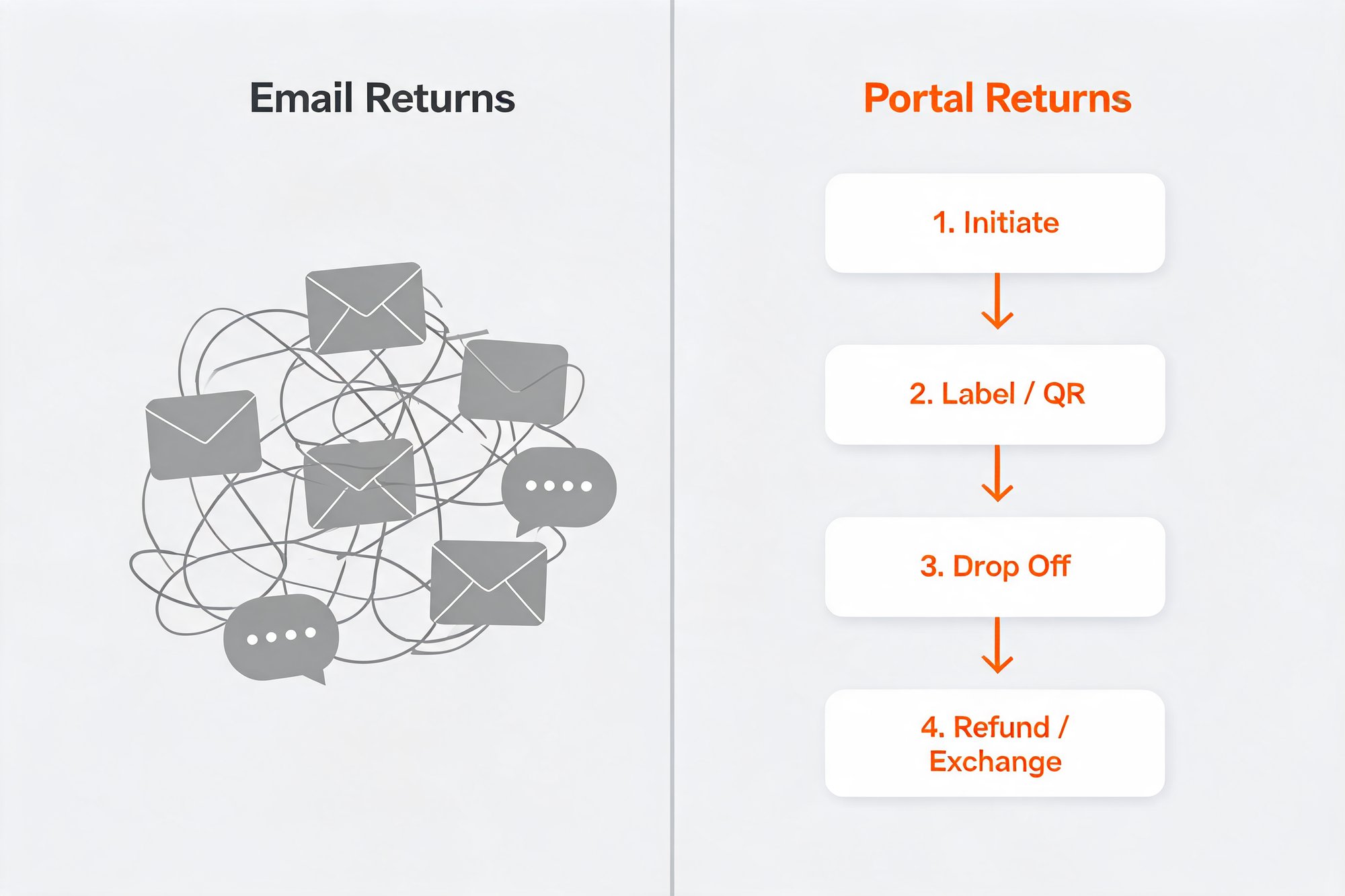
A self-service returns portal flips the whole model. Instead of a customer emailing you and waiting for someone on your team to reply, look up the order, and cut a label, the customer does the work themselves, on a page that looks and feels like your store.
The flow is short and predictable:
- The customer lands on your branded returns portal: your logo, your colors, your domain.
- They enter their order number and email to pull up the purchase.
- They select the items they want to send back and choose a reason.
- They instantly receive a prepaid shipping label or a printerless QR code: no waiting, no back-and-forth.
That's it. What used to be a day-long email thread becomes a two-minute task the customer completes on their own schedule.
The win cuts both ways. For the customer, it's speed and certainty: they know in seconds whether an item is eligible and exactly how to send it back. For your brand, it's efficiency: the requests that used to land in your inbox now resolve themselves, and your team only touches the exceptions that truly need a human. Self-service isn't about doing less for customers. It's about removing the friction that made returns feel like a chore for everyone.
From Email Chaos to Automated Calm: AfterShip Returns in Action
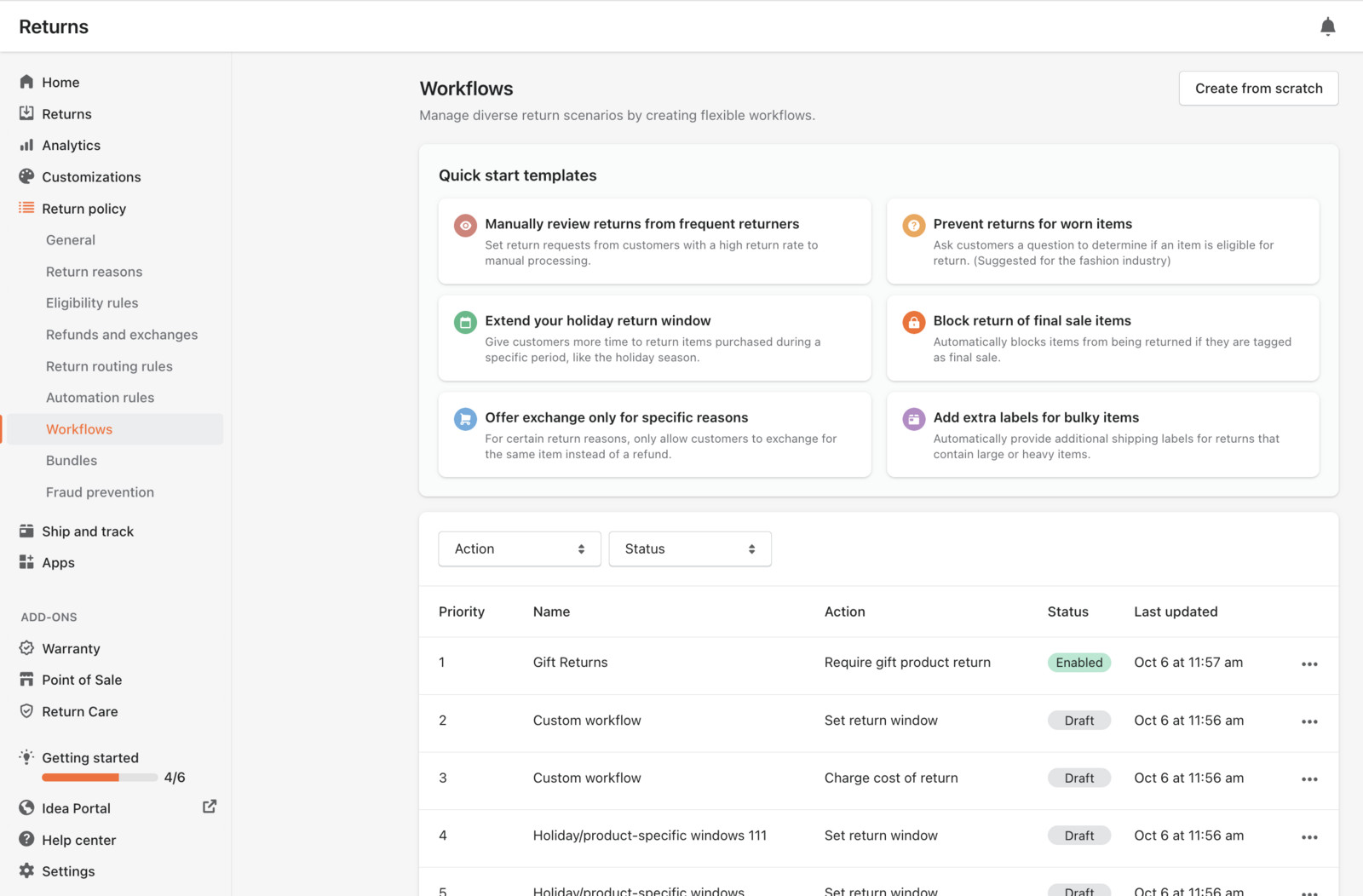
The portal is the front door. Behind it, automation rules handle the decisions your team used to make by hand, message by message. The clearest way to see the shift is to line up the everyday email headaches against what an automated returns platform does instead.
| Email pain | AfterShip Returns solution |
|---|---|
| "Is this item eligible?" | Non-returnable rule keyed to the final-sale tag hides those items from the portal, no email, no judgment call. |
| "Manually creating labels" | Self-service prepaid label, printerless QR code, or box-less Happy Returns drop-off (instant). |
| "Where is my refund?" | Proactive, branded returns status notifications (multi-language). |
| "Need proof for damaged items" | Per-return-reason image upload set to required (e.g., for "damaged"/"defective"). A return-reason setting, not a routing-rule action. |
| "No idea what's coming back or why" | Returns analytics (top products/reasons to SKU level, Retained Revenue Ratio, label cost by carrier). |
A few of those solutions are worth calling out, because they're the ones email simply can't replicate. Eligibility stops being a judgment call: a non-returnable rule keyed to a tag like final-sale hides those items from the portal automatically, so no one has to type out "sorry, that one's final sale." Proof for damaged items is captured up front through a per-return-reason setting (image upload set to required for reasons like "damaged" or "defective") rather than chased down in a follow-up thread.
The label options are where the customer experience really opens up. From the portal, a shopper can choose a prepaid label, a printerless QR code, or a box-less Happy Returns drop-off at one of 9,000+ Happy Returns Bar locations across the US. Under the hood, AfterShip Returns can auto-generate labels across 23 carriers within a broader 68-carrier returns network, so you're not locked into a single shipping relationship. And because every return flows through one system, you finally get returns analytics (return rates, top returned products and reasons down to the SKU level, and label costs by carrier) instead of an inbox that remembers nothing.
The result is the title of this section: the chaos of scattered threads becomes a calm, automated flow your team monitors rather than manually runs.
Stop Losing Money: Turn Returns into Your Next Sales Channel
Here's the mindset shift that changes the economics: a return doesn't have to be a refund. Handled well, it's a second chance to keep the sale, and often to grow it.
A good portal makes the profitable path the easy one. Instead of defaulting every request to a refund, AfterShip Returns can offer exchanges (including instant exchanges that ship the replacement before the original item comes back) alongside incentivized exchanges and store credits. The mechanic is simple and persuasive: present a customer with "$100 in store credit versus an $85 refund," and many will take the credit, keeping that revenue inside your business. Across merchants using these flows, roughly 50% of revenue is retained through exchanges rather than lost to refunds. One AfterShip customer, Marc Nolan, doubled its exchange-to-refund ratio after moving off a manual process.
The customer-loyalty case is just as strong. In the NRF/UPS 2025 returns survey, 71% of shoppers said they're less likely to buy from a retailer again after a poor returns experience, up from 67% the year before. A smooth return isn't a cost center to minimize; it's one of the cheapest retention tools you have.
The operational payoff shows up fast, too. After switching to a self-service portal, Aetrex cut return-related support tickets by 74%: the flood of "where's my refund?" and "is this eligible?" messages that used to consume the workday simply stopped arriving. That's the difference between a team buried in returns and a team free to spend its time on customers worth winning.
Incentivized G2 review, collected via G2 invite.
Returns will always happen. The question is whether each one quietly drains margin through a manual refund, or becomes a moment to retain revenue, keep a customer, and learn something about your catalog.
Returns automation that enhances the returns and exchanges experience, reduces costs, and retains more revenue.
Book a demoHow to Choose and Implement Your First Returns Platform
Moving off email is less daunting than it sounds. The hardest part is usually deciding you're ready. So here are the questions most teams ask before choosing the right returns software.
How do I know if I'm ready for a returns platform?
There's a simple threshold. If returns are eating more than ~5 hours a week of your staff's time, or you're handling 20+ returns a month, or you can see a trigger coming (peak season, a second hire just to manage returns, or refund and label errors creeping in), you're past the line. Manual returns are fine at around 20 a month; beyond that, the time and error costs outgrow the "free" inbox fast. A brand doing 500–5,000 orders a month is already well past the threshold. The good news is that entry pricing is modest: AfterShip Returns plans start at around $9 a month, scaling up through $49 and $199 tiers to a custom enterprise plan, so the investment matches your volume.
How long does it take to implement?
Faster than most teams expect. For a straightforward Shopify store, going live in a day is realistic, though not guaranteed, since every catalog and policy is different. Connecting your store and configuring the portal is quick; the part that takes a session or two is the thinking, not the setup. Deciding your return policy, your eligibility windows, and how returns should route is what deserves your time. The software is ready in minutes; your rules are what make it yours.
Will it integrate with the tools I already use?
In most cases, yes. AfterShip Returns connects with the major ecommerce platforms: Shopify, BigCommerce, WooCommerce, Squarespace, and Magento 1 and 2, so it slots into your existing store rather than replacing it. It surfaces RMA and return status directly inside Zendesk and Gorgias, so your support agents see where a return stands without leaving the ticket. And it works natively with Klaviyo to power your return notifications, keeping customer messaging in the tool your marketing team already runs. The aim is to fit your stack, not force a new one.
Your Next Step to Better Returns
The shift is bigger than it first appears. You're not just swapping email for software. You're trading a process that quietly drains hours, invites errors, and tells you nothing for one that runs itself, retains revenue, and shows you exactly what's coming back and why. Email chaos becomes portal calm: customers get instant, self-serve answers, your team handles only the exceptions, and every return turns into a chance to keep the sale instead of losing it.
You don't have to fix everything at once. The first step is simply to see what a branded, automated returns experience looks like for your store. Take a few minutes to explore the AfterShip Returns product page, picture your own logo on that portal, and decide whether your next peak season runs through your inbox, or through a system built for it.
Your team has spent enough days forwarding emails and making labels by hand. The fix is ready when you are.