
Killing Your Margins? How to Compare Real-Time Shipping Rates for Shopify Brands


The Hidden Margin Killer in Your Shopify Store
You've obsessed over product costs, ad spend, and conversion rates. But when was the last time you audited the single biggest threat to your profit margin? For most Shopify brands, it's the shipping label you print for every order.
If that question stings, you're in good company. Most stores configure shipping exactly once, early on, when volume is low and a single carrier account feels simple enough. That setup keeps working right up until it doesn't, and the failure is quiet. It shows up as a slow erosion on your P&L rather than one alarming line item.

The trigger is almost always a financial review. You sit down with the month's numbers, line up the carrier invoices against revenue, and realize shipping is consuming far more than it should. For growing DTC brands, fulfillment and shipping routinely eat 10 to 20 percent of revenue. At a handful of orders a day, a few dollars of overspend per label disappears into the noise. At a few thousand orders a month, that same leak becomes a five-figure hole in your annual margin, and you usually can't point to where it started.
The damage isn't confined to the labels you print. It starts at checkout, where shipping cost is the leading reason shoppers walk away.
39% of shoppers have abandoned a cart because extra costs (shipping, tax, fees) were too high.
Source: Baymard Institute
So you're squeezed from both ends: overpaying on the orders you ship, and losing the orders you never get to ship. The encouraging part is that this is one of the few margin levers you control outright. Learning to compare real-time shipping rates for Shopify is how you start taking that control back, and it begins with understanding why the default approach fails.
Why Your Default Shipping Strategy Is Bleeding Money
The default setup isn't broken, exactly. It simply wasn't designed for a store that has started to scale, and four specific weak points do most of the damage.
- 1. Single-Carrier Dependency: When every order rides the same carrier, you pay that carrier's rate across every zone and weight, including the lanes where a competitor would have been cheaper.
- 2. The Inaccuracy of Flat-Rate Shipping: A flat rate is a bet against your own order profile, and on heavy, bulky, or long-distance shipments you tend to lose that bet and absorb the difference.
- 3. The Manual Hell of Rate Shopping: Comparing carrier rates by hand on every order is possible in theory, but at real volume it is slow, error-prone, and the first task to get skipped on a busy afternoon.
- 4. Shopify Shipping's Blind Spots: Shopify's built-in shipping is a reasonable starting point, yet it works with a limited set of carriers and limited automation, so the cheapest option for a given order frequently never surfaces.
Notice the common thread. The first three are structural facts about how the setup works; the fourth, how much margin it quietly costs you, is the interpretation your own invoices will confirm. Either way, your shipping decisions are being made by default instead of by data, and every default is a small tax on your margin.
The Fix: What is Real-Time, Multi-Carrier Rate Comparison?
Think about how you book a flight. You don't call one airline and accept whatever fare they read out. You open Kayak, compare every airline at once, and pick the option that fits your budget and your timing.
Real-time, multi-carrier rate comparison does the same job for your parcels. For every order, the software queries live rates from all of your connected carriers (UPS, FedEx, USPS, and others) at the same moment, then surfaces the cheapest or fastest option according to rules you define.
This matters because carrier pricing is complex by design. Rates move with zone, weight, dimensions, and a rotating set of surcharges, so the carrier that wins a one-pound order to the next state over is rarely the one that wins a five-pound order across the country. The "best" carrier is not a fixed choice. It changes order by order.
No person can hold that matrix in their head on every shipment. A rate-comparison engine can, and it runs the comparison while the label is being created, so it never slows you down.
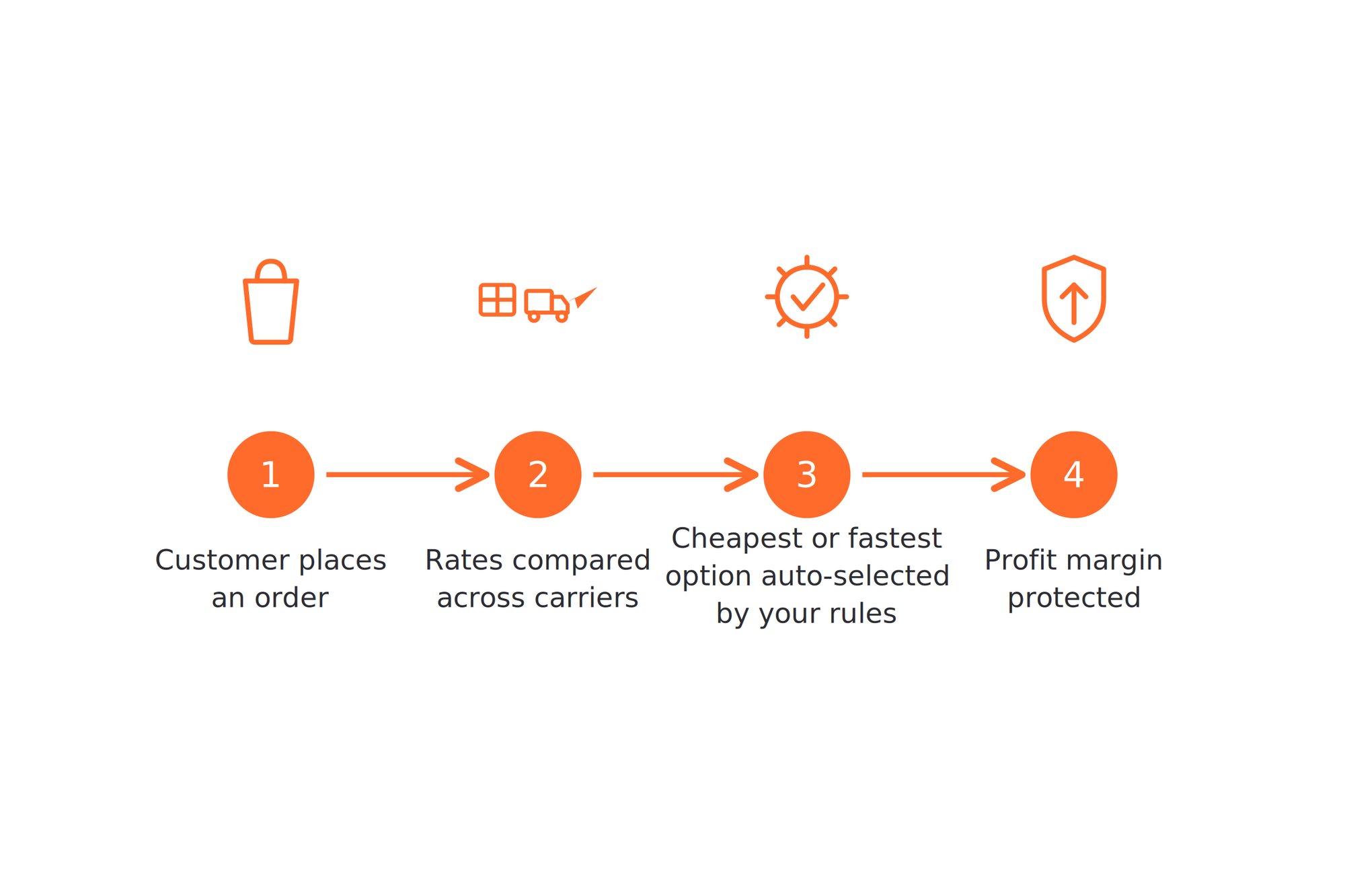
That is the shift in a sentence: stop defaulting on every parcel and start pricing each one against the whole market. It is the backbone of a real Shopify shipping strategy, and it is how shipping moves from a fixed cost you absorb to a margin you actively protect.
How AfterShip Shipping Puts This on Autopilot
That market-pricing logic is exactly what AfterShip Shipping automates for you. It connects to 100+ parcel carriers and turns per-order rate comparison from a manual chore into the default behavior. Pricing is worth quoting the way a Shopify merchant actually sees it: on the Shopify App Store, the app (listed as AfterShip Shipping + Labels) starts Free at $0 for 10 labels a month, then Essentials at $11/month for 100 labels, Pro at $89/month for 2,000 labels, and custom Enterprise pricing above that. Three capabilities do the heavy lifting.
Real-Time Rate Comparison. Create a label for any order and AfterShip Shipping lays your carrier and service options out side by side, each with its live rate and estimated transit time, with the cheapest or best-value choice flagged for you. The comparison spans 100+ parcel carriers, and the account model is deliberately hybrid: connect the UPS, FedEx, or other carrier accounts you already negotiated so those rates carry straight over, then layer AfterShip's discounted USPS rates on top. For each order you simply take the option that protects the most margin. Account connections scale with your plan, from one carrier account on Free and Essentials, up to five on Pro and unlimited on Enterprise.
Smart Shipping Rules. Comparing rates by hand still costs time, so the real unlock is automation. AfterShip Shipping's rules engine lets you encode your shipping logic once and apply it to every order. The examples are illustrative, but the pattern looks like this: if a package weighs under one pound, use USPS Ground Advantage; if the destination is a commercial address, prefer UPS. In the editor, each rule reads as a simple row: a condition on the left (weight, destination, or order value) and the carrier or service it should trigger on the right. The engine then picks the carrier at label creation, with no judgment call required. One caveat on plans matters here: this automation and the underlying API are a Pro-tier-and-up capability. The Free and Essentials plans do not include the rules engine, so if automated logic is what you are after, Pro is the plan to evaluate.
Accurate Rates at Checkout. This is the part worth getting precise about, because it is where many articles overclaim. The margin protection above happens label-side: the rate shopping runs on every plan and every order, at the moment you create the label, which is exactly where overspend leaks out. That benefit does not depend on your Shopify plan at all.
Showing live, carrier-calculated rates to the shopper inside the Shopify checkout is a separate, conditional bonus. It activates only where your Shopify plan supports third-party carrier-calculated shipping, which means Shopify Advanced or Plus, or the Grow plan with the carrier-rates add-on or annual billing. Where it is available, charging the customer the real rate protects margin a second time and can lift conversion by removing checkout surprises. AfterShip Shipping is built for parcel shipments, not freight or LTL, so all of this applies to the boxes and mailers that make up the bulk of DTC volume.
A 3-Step Setup Guide
Getting this running is faster than most operators expect.
- Install and connect. Add AfterShip Shipping from the Shopify App Store and connect your existing carrier accounts, then switch on AfterShip's discounted USPS rates.
- Configure your rules. On Pro, set the if/then logic that matches your order profile, for example routing light parcels to USPS and commercial deliveries to UPS.
- Print cheaper labels. Process orders as usual and let the comparison pick the lowest-cost compliant option on every shipment.
That is the whole loop: connect once, set the logic once, and let every label price itself against the market from then on.
A Quick Comparison: AfterShip Shipping vs. The Old Guard (ShipStation)
So how does this approach stack up against the tool most growing stores reach for first? The honest framing is a modern DTC platform versus a legacy label printer. Both will get a label on a box. They are built around very different ideas of what shipping software is supposed to do.
| Criteria | AfterShip Shipping | ShipStation |
|---|---|---|
| Free plan | Yes — Free, 10 labels/mo (Shopify App Store) | No free plan |
| Free trial | 7-day free trial | Free trial available (30-day) |
| Entry paid price | Essentials $11/mo ($108/yr) | From $14.99/mo (Starter) |
| Shopify App Store rating | 3.9/5 (82 reviews) | 4.2/5 (670 reviews) |
Here is the fair read. ShipStation is a competent, well-established label printer with genuine strengths, especially the wide range of integrations it offers, including connections to older ERP and warehouse systems that some operations still depend on. If your stack is anchored to one of those legacy systems, or if printing labels is honestly the only job you need done, ShipStation works.
For most Shopify brands scaling past the startup phase, AfterShip Shipping is the stronger fit, and it starts with the cost of entry. AfterShip offers a Free plan at $0 for 10 labels a month on the Shopify App Store, while ShipStation has no free tier and begins at $14.99 a month. The deeper advantage is that shipping does not sit in a silo. AfterShip's broader platform connects natively to tools like Klaviyo and integrates with helpdesks like Gorgias across the post-purchase journey, so rate shopping, tracking, and returns reinforce one another instead of living in separate tabs. If your goal is to build a profitable, brand-forward business rather than only print labels, that connected journey is the real advantage.
Simplify shipping and order fulfillment across Shopify, TikTok Shop, and your carrier network.
Start free on the Shopify App StoreFrequently Asked Questions
Do I need my own carrier accounts?
Not necessarily. AfterShip Shipping uses a hybrid model: connect your own carrier accounts so your negotiated rates carry over, and you can also use AfterShip's discounted USPS rates. For each order, you simply take whichever option is cheapest.
Will this slow down my checkout?
No. Rate shopping runs at label creation, so it never touches the checkout your customers see. Where your Shopify plan supports carrier-calculated rates at checkout, showing those live rates is a standard real-time carrier-rate request.
How much can I save?
It depends. Your actual savings vary with your carrier mix, package profile, destination zones, and volume, so treat any fixed percentage with caution. AfterShip advertises discounts of up to 91% on specific services, but that is a ceiling on particular lanes, not a typical result.
Your Shipping Strategy is Your Growth Strategy
Step back and the throughline is clear. The rate a shopper sees at checkout and the label you print in the back office are two ends of the same lever, and that lever is your margin. Treat shipping as a fixed cost and it quietly drains profit at both ends. Treat it as a strategy and it becomes a place you actively win.
That shift is what separates a store that thrives at scale from one that stalls. When every order is priced against the market, you stop leaking money on the labels you print. When the post-purchase journey is connected rather than fragmented, the experience that earns the next order improves at the same time. Pre-purchase pricing and post-purchase profitability stop competing and start compounding.
A quick word on numbers, because shipping savings get oversold. Real savings vary with your carrier mix, package profile, destination zones, and volume, so anyone promising a fixed percentage is guessing. AfterShip does surface discounts of up to 91% on specific services, but treat that as a ceiling on particular lanes, not a result you should expect on every order.
The practical next step is small. Install AfterShip Shipping free from the Shopify App Store and run a week of your own orders through real rate comparison, or book a demo to see the rules engine work on your order profile. Let your own invoices, not a default setting, decide what each shipment costs.