
Where Can I Compare eCommerce Shipping Rates in Real Time?


Why You're Overpaying for Shipping (And Don't Even Know It)
Are you still tabbing between FedEx, UPS, and DHL to find the best rate for each order? That process doesn't just waste time; it's costing you money on every single shipment. Let's look at how high-growth brands automate this to protect their margins.
Shipping is one of the few P&L line items that quietly grows on its own. Carriers publish a general rate increase every year, then layer on accessorial surcharges (residential, fuel, peak season, dimensional weight) that rarely make the headline number.
The scale is bigger than most operators assume.
Fulfillment can account for 12 to 20 percent of e-commerce revenue, according to McKinsey.
For a brand doing a few million in sales, a single point of waste in that band is real money every month.
2026 makes the math worse. The headline carrier rate increase lands around 5.9 percent, but once surcharges stack on top, the effective increase many shippers actually pay runs closer to 8 to 12 percent. If your rate logic hasn't changed since last year, your real cost just did.
Here's the part that stings: most overpayment is invisible. Default to one carrier or eyeball a rate by hand, and you never see the cheaper option you skipped. The loss never appears on an invoice; it shows up as a margin quietly thinner than it should be.

You can't fix a cost you can't see. That is why how you compare ecommerce shipping rates matters more than which carrier you favor.
The 3 Ways to Compare Shipping Rates in 2026
There are only three ways to compare shipping rates, mapped to three stages of operational maturity.
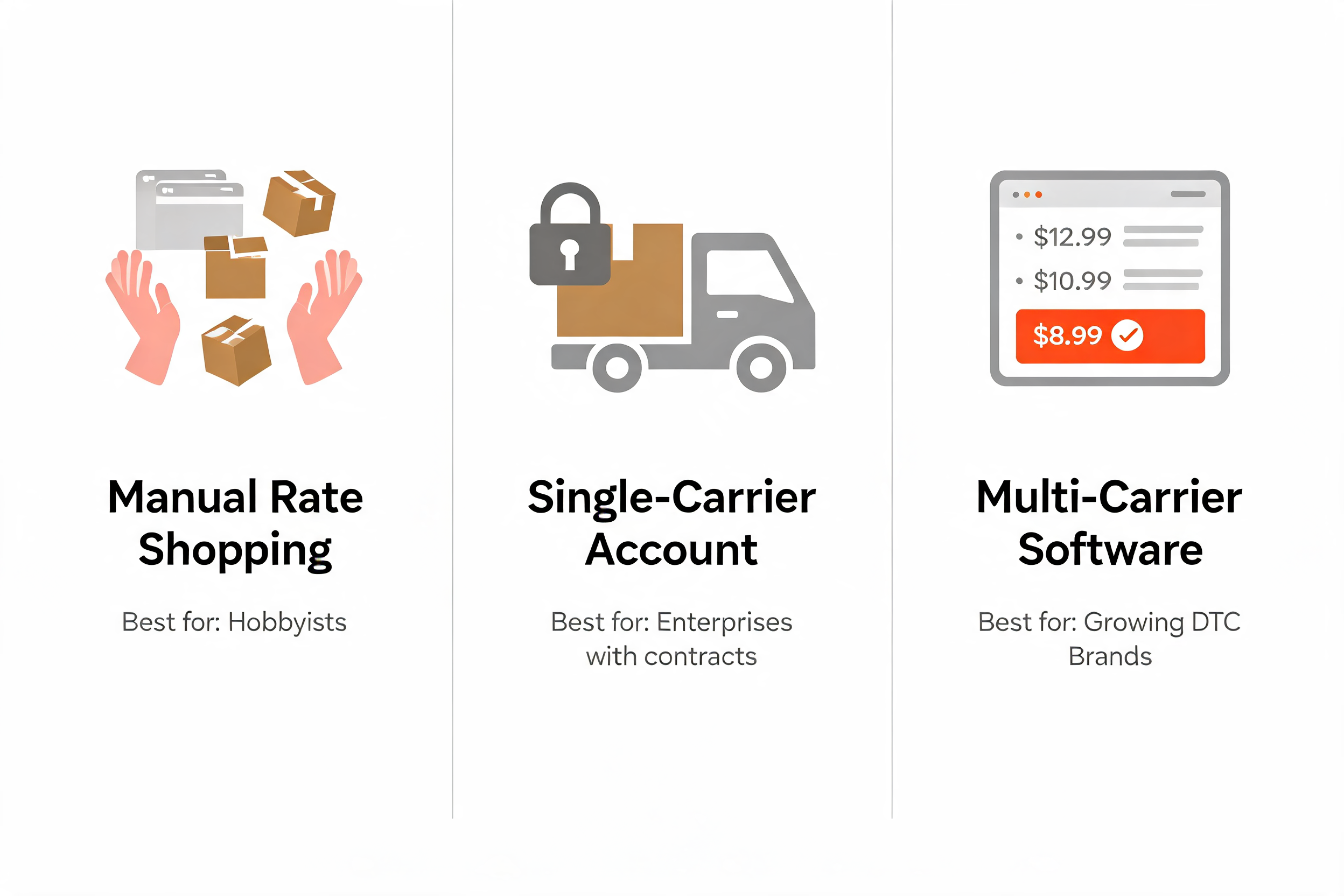
Method 1 - Manual Rate Shopping (The Time Sink)
This is the carrier-website shuffle: open FedEx, UPS, and DHL in separate tabs, key in the same dimensions three times, and compare by hand. Carrier-run tools like FedEx Rate Finder or UPS's Calculate Time and Cost are fine for a one-off quote, but were never built to compare across carriers at volume.
The one pro:
- It's free. There's no software line item. The catch: "free" counts only the software, never the hours.
The cons stack up fast:
- Slow. Three to five minutes per order is nothing until you multiply by a few hundred orders a week.
- Error-prone. Re-keying dimensions by hand invites typos, wrong weights, and missed surcharges.
- No automation. Every order starts from zero. Nothing is remembered, routed, or repeated.
- No audit trail. You can't prove you chose the cheapest option, because you never checked them all.
Manual rate shopping works right up until it doesn't, and that breakpoint arrives at the worst possible moment.
Method 2 - Single-Carrier Accounts (The Trap)
The instinctive fix for tab fatigue: pick one carrier, negotiate a discount, push everything through it. Simpler, yes. Cheaper, usually not.
The one pro:
- A deeper discount, if your volume is genuinely massive. Concentrating spend with one carrier can unlock better contract pricing, but only at a scale most growing brands haven't reached.
The cons that come with it:
- No competitor visibility. You never see the lanes where a rival carrier would have been cheaper or faster.
- Volume lock-in. Your negotiated tier depends on hitting commitments, pressuring you to keep feeding one carrier even when it's the wrong call.
- Surcharge exposure. When that carrier raises its accessorials, you have no fallback. You absorb it.
Single-carrier loyalty swaps one kind of work for one kind of risk: you stop comparing and start paying whatever your carrier decides.
Method 3 - Multi-Carrier Shipping Software (The Scalable Engine)
Multi-carrier shipping software removes the trade-off entirely. Instead of checking carriers one at a time, the software queries them together and lays every rate for an order side by side, so the cheapest or fastest option is obvious at a glance.
Multi-carrier software compares shipping rates in real time. The numbers behind those real time shipping rates aren't pulled from a stale table that someone refreshes once a month. AfterShip Shipping makes a live call to each carrier's API at the moment you create the label, so the rate you see is the rate the carrier will charge right now.
One distinction matters: this comparison runs in your fulfillment dashboard at label time, not at your store's checkout. AfterShip Shipping is a back-office tool: you compare rates, buy the label, and print. It connects to over 100 carriers, so the comparison set is wide enough to actually move your blended cost.
AfterShip Shipping automates carrier selection based on cost or speed. Because it's software, the comparison doesn't stop at looking. You can set rules that auto-pick the cheapest or fastest service per order, batch-create labels, and print your first labels the same day you start. The next section covers what separates a comparison engine from a label printer.
Manual shopping doesn't scale, and single-carrier lock-in quietly costs you the comparison itself. Only multi-carrier software lets a growing brand compare ecommerce shipping rates on every order without putting a human on it.
5 Must-Have Features in a Shipping Rate Comparison Tool
Once you accept that multi-carrier software is the only method that scales, the question is which one. Hold every option against these five features when you compare ecommerce shipping rates. The first four are table stakes. The fifth is where most tools quietly fall short.
- Live rate accuracy. Rates should be pulled live at label time, not read off a cached table. If the quote you see isn't the price you pay, the comparison is theater.
- A broad carrier network. A wider carrier pool means a cheaper or faster option turns up on more lanes. Look for a network of 100+ carriers.
- Combined-condition automation rules. The tool should let you combine conditions (order weight, destination, declared value) to route each shipment to an exact carrier and service, or auto-pick the cheapest or fastest option. On AfterShip Shipping, non-Enterprise plans support up to 10 of these rules, which covers most growing brands. For the step by step, see AfterShip's guide to setting up automation rules.
- Batch label creation. Comparing rates one order at a time is progress. Generating and printing labels for a whole order queue at once keeps rate comparison from becoming a new bottleneck.
- Integrated post-purchase (Tracking and Returns). This is the AfterShip differentiator. A shipping tool that also connects natively to branded tracking and returns means the data that starts at the label follows the customer through delivery and any return. Most rate tools stop at the label. AfterShip does not.
Four of these five are common across the category. Native post-purchase is the line that separates a label printer from a customer-experience platform.
AfterShip Shipping vs. The Competition: A Head-to-Head Look
Here is how AfterShip Shipping, ShipStation, and Shippo line up on the criteria a growing DTC brand weighs. Every cell below is verified data, not marketing.
| Criteria | AfterShip Shipping | ShipStation | Shippo |
|---|---|---|---|
| Entry price | Essentials $9/mo (BYO incl.) | Starter $14.99/mo (BYO needs Standard $29.99) | Free Starter / Pro $17/mo |
| Carrier count | 100+ | 100+ direct (200+/250+ via API) | 40+ global |
| BYO negotiated rates | Yes, on every plan incl. entry | Standard ($29.99)+ only | Free on Pro/Premier; 5¢/label on free Starter |
| Automation | Combined-condition routing; 10 rules (non-Ent) | Unlimited automations from Standard up | Automation available |
| Native Tracking + Returns | Yes (full post-purchase stack) | No | No |
| Rating | G2 4.7 / 311 (Capterra 4.9 / 469) | G2 4.3 / 581 | G2 4.2 / 77 |
Read the entry-price row closely. AfterShip Shipping includes BYO negotiated carrier rates from its $9 Essentials plan. On ShipStation, BYO accounts and unlimited automations begin at the Standard plan ($29.99). So the honest entry-level comparison for BYO is $9 versus $29.99, not $9 versus $14.99.
One pricing note before the verdict. Those figures are plan fees. Per-label overage is not publicly listed for AfterShip Shipping, so confirm it with sales for your volume, and remember that each AfterShip product is billed separately.
Credit where it is due. ShipStation is an established platform used by over 130,000 companies, with deep US carrier reach (100+ direct, 200+/250+ via its API). Shippo is genuinely appealing for developers who want an API-first, free-to-start build.
What neither offers is native tracking and returns. On the table, that row reads Yes, No, No. For a modern DTC brand, that is the deciding line: AfterShip Shipping isn't just comparing labels, it's the front door to a post-purchase stack.
Interface is part of the daily math too: AfterShip Shipping runs on a modern dashboard for the teams in it all day.
So the verdict splits by what you care about most:
- AfterShip Shipping for modern DTC brands that want an all-in-one post-purchase experience.
- ShipStation for high-volume, US-centric sellers who don't prioritize customer experience.
- Shippo for developers who need an API-first, free-to-start build.
For a brand shipping 1,000 to 20,000 orders a month and feeling the pain of scale, the math points one way. The tool that compares ecommerce shipping rates and owns the rest of the journey protects your margin twice: once at the label, and again after it.
Beyond Rates: How an Integrated Platform Drives ROI
Integrated platforms connect shipping costs to the customer experience. Once you can compare ecommerce shipping rates on every order, the next gain isn't a cheaper label. It's everything that happens to that order after the label.
The shipment you just won the cheapest rate on is the same one your customer will track, ask about, and sometimes return. Run all of that on one platform and the savings stop being a single line item; they compound. The case for an integrated post-purchase stack: shared data and one workflow across Shipping, Tracking, and Returns.
No exports, no reconciliation, no vendors pointing fingers when something slips.
Start with tracking. Proactive, branded tracking is the cheapest way to cut "where is my order" (WISMO) tickets. Three numbers get quoted here, describing three different things, so attribute each one:
- 65% fewer WISMO tickets is AfterShip's platform-wide figure (a homepage stat) across merchants using branded tracking and notifications.
- 40% fewer WISMO calls is the figure cited specifically on the AfterShip Tracking product page.
- 25% fewer pre-delivery and WISMO tickets is what MyDeal, a named AfterShip customer, reported for its own operation.
Accurate delivery dates do the same earlier. AfterShip's AI estimated delivery dates reach about 90% first-prediction accuracy at 80%+ coverage, verified with our CX team, so the date a shopper sees is one you can usually stand behind. The right expectation prevents the "it's late" ticket before it starts.
Then, returns. A return isn't just a refund waiting to happen. A returns flow that steers shoppers toward an exchange can recover up to 50% of revenue that would otherwise leave as a refund (AfterShip Returns).
Now the customer proof, labeled for what it is. MyDeal used AfterShip Tracking and saw a 25% drop in pre-delivery and WISMO tickets alongside a 25% cut in transit time. Fellow used AfterShip Returns and reduced return resolution time by 52%. Both are real tracking and returns outcomes, not shipping-label savings.
“Customers can now easily track their packages without having to hunt for separate tracking pages, which not only saves them time but also creates a better overall experience.”
Kieran Boyce, General Manager of Operations
Read their story →This is why a brand that watches its shipping cost should care just as much about the branded tracking and returns experience built on the same data.
One vendor, one dataset, one workflow: how a shipping decision stops being a cost question and becomes a customer-experience advantage that pays back after the sale.
Simplify shipping and order fulfillment across Shopify, TikTok Shop, and your carrier network.
Book a demoFAQs About Comparing Shipping Rates
How accurate are the shipping rates I see?
They are a live call to each carrier's API at the moment you create the label, not a stale table that someone refreshes on a schedule. The price you compare is the price the carrier will charge right then. One scope note: this comparison happens in your back-office fulfillment dashboard at label time. AfterShip Shipping does not show carrier-calculated rates to shoppers at your store's checkout.
Can I keep my own negotiated carrier rates?
Yes. Bring-your-own negotiated rates work on every AfterShip Shipping plan, including the entry-level Essentials plan. If you are weighing tools, note that ShipStation gates bring-your-own carrier accounts behind its Standard plan ($29.99), so the entry-level math is not identical.
What is the difference between a carrier rate API and shipping software?
A carrier rate API is a raw connection that returns one carrier's prices for a developer to build around. Shipping software does that across many carriers for you, then layers on the comparison view, automation rules, and batch label printing. One is a building block. The other is the finished workstation.
How long does it take to get started?
It is fast to start, and most teams print their first labels the same day. "Get started in 30 minutes" is a marketing headline, not a guaranteed go-live, so plan for a short setup rather than a stopwatch. On cost, per-label overage is not publicly listed, so contact sales for your volume, and remember that each AfterShip product is billed separately.