
Need Real-Time Shipping Rates? How AfterShip Compares


Your checkout is leaking profit. You're either losing customers to shipping sticker shock or losing margin by absorbing unexpected carrier fees. Let's run the numbers on how much this is costing you and how to fix it.
If you run operations for a brand shipping 5,000 to 20,000 orders a month, you feel this in two places at once: the CFO's margin report and marketing's cart-abandonment dashboard. Real-time shipping rates sit at the center of both, and getting them wrong is rarely a one-sided mistake.
The Two-Sided Problem With Inaccurate Shipping Rates
Inaccurate shipping rates fail in two directions, and each one hits a different line on your P&L.
Overcharge, and you trigger abandonment. When the shipping cost at checkout looks higher than the shopper expected, they leave. Unexpected extra costs like shipping are consistently among the top reasons shoppers abandon their carts, cited by roughly 39% of shoppers who abandon at checkout.
Undercharge, and you quietly bleed margin. Flat-rate or rounded shipping feels generous until the carrier invoice lands. A flat $7 shipping line hides the problem: some orders cost you $4, others cost $12, and the average drifts against you as parcels get bigger or travel farther. Dimensional-weight pricing bills the greater of a package's actual or volumetric weight, so a light but bulky box is charged by its size, and the 2026 general rate increase FedEx applied has raised your real cost per parcel.
The math is unforgiving at volume. A dollar or two of undercharge spread across thousands of monthly orders quietly compounds into real money you never recover, before you've counted a single abandoned cart.
Getting real-time shipping rates right isn't a nice-to-have. It's the difference between protecting conversion and protecting margin, on every order you ship.
Why Your eCommerce Platform's Native Shipping Tools Fall Short
Shopify Shipping is a fair starting point. It's built in, it prints labels, and for a brand doing a few hundred orders a month, it does the job.
The cracks show as you scale. Native platform tools are built for the common case, not for a brand that treats shipping as a strategic lever. The limits that tend to bite a growing operation:
- Fewer carrier options at checkout than your own account actually supports.
- Difficulty surfacing your negotiated rates the way you expect them to display.
- Basic automation that struggles to key off cart value, weight, destination, or customer type.
- A documented gap between the rate shown at checkout and the rate you pay at the label.
That last point is the quiet killer. Merchants have repeatedly flagged it in Shopify Community threads about Shopify shipping rates at checkout. In one case, a Canadian merchant's own UPS rate displayed at $46 to $50 at checkout but cost roughly $14 at label purchase, a three-to-four-times gap. A separate thread reported a Canada Post label costing about 37% more than the rate the merchant collected at checkout.
When the checkout rate and the label rate come from different sources, your shopper sees one number while you pay another. That divergence is structural, not a one-off glitch.
If your store is scaling and you already hold your own carrier account, the native toolset is quietly costing you on both sides of the rate: the customers who leave, and the margin you hand back to the carrier.
The Solution: How AfterShip Shipping Delivers Rate Accuracy
The fix isn't a smarter estimate. It's making the rate the shopper sees and the rate you pay come from the same place.
AfterShip Shipping does this with single-source rating: the checkout rate and the label rate draw from the same upstream, so they match. It's a mechanism, not a magic switch, and you can reach it two ways.
Connect your own carrier accounts (BYO), and the shopper sees your contracted rate at checkout. The same account prints the label, so the quote and the cost are the same number. One honest caveat: if your negotiated contract isn't deeply discounted, that displayed rate sits near retail. AfterShip surfaces your real rate. It can't invent a cheaper one.
That's where the partnership pool earns its place. AfterShip can show its own commercial-pool rate at checkout, marketed as "Save up to 91% on shipping," and print the label from that same pool. Same source on both ends, so the numbers line up even if you don't hold a deep carrier contract of your own. For a mid-market brand without enterprise-scale carrier negotiating power, the pool is often the fastest way to put a competitive rate in front of the shopper.
Accuracy starts before the rate is even calculated. A pre-label address verification API (US by default, other regions on request) catches bad or undeliverable addresses before you buy a label, trimming the address-correction and re-delivery surcharges carriers add after the fact.
The scope is worth being precise about. At checkout, AfterShip surfaces real-time shipping rates from four carriers: FedEx, UPS, USPS, and Canada Post. Behind the order, label generation reaches 130+ carriers (87 internationally connected), and the API covers 100+ carriers for programmatic label workflows. Knowing which figure applies where matters: the four checkout carriers are what your shopper actually picks from, while the larger label and API networks govern how the parcel ships once the order is placed.
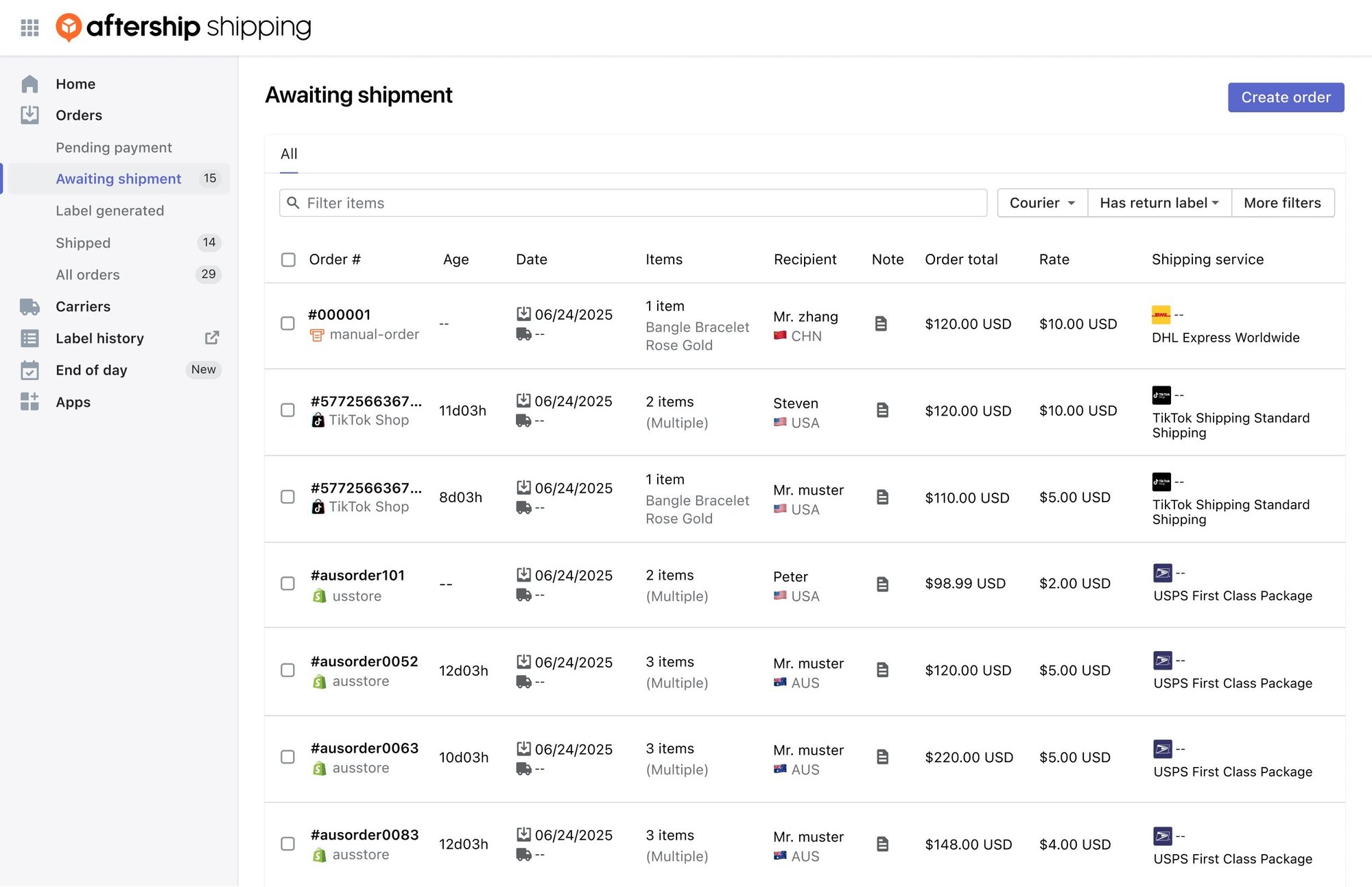
Single-source rating is the mechanism that keeps both numbers honest. That alone turns shipping from a guess into a controlled input. It also means far fewer surprises when the carrier invoice lands, because the rate you quoted at checkout is the rate you actually booked at the label.
Go Beyond Accuracy: Turn Shipping Into a Profit Driver With Automation Rules
Accurate rates stop the bleeding. Automation rules turn shipping into a lever you actually pull.
AfterShip Shipping lets you write conditional logic that decides which options a shopper sees, based on what's in the cart and where it's headed. The pattern is plain IF/THEN.
A few rules a scaling brand actually runs:
- For orders over $100, show Free Shipping and USPS Priority, but hide FedEx Overnight.
- If the cart contains a fragile item, only show carriers that include insurance.
- For a specific region or customer tag, surface the service level you want chosen.
Rules can key off cart weight, destination, service level, and customer tags. Each one is doing one of two jobs: protecting margin by hiding a money-losing service, or improving conversion by leading with the option most likely to close the sale.
Set once, the rules run on every order, so the margin discipline and the conversion nudge happen automatically instead of depending on a checkout you simply hope behaves.
This is the line between a shipping tool and a shipping strategy. The rules you set decide whether a high-value cart converts or stalls at the last step.
AfterShip Shipping vs. Shopify Advanced Shipping: A Head-to-Head Look
For a brand still finding its feet, Shopify Advanced Shipping is a fine, bundled option. The real question is what changes once shipping turns strategic and you bring your own carrier account.
Here's the honest side-by-side on the criteria that matter to a scaling operation: carrier network, negotiated-rate support, checkout rule complexity, API access, and fee transparency.
| Criteria | AfterShip Shipping | Shopify Advanced Shipping |
|---|---|---|
| Carrier Network | Four carriers at Shopify checkout (FedEx, UPS, USPS, Canada Post); 130+ (87 international) for label generation; 100+ via API | Shopify's native carrier set |
| Negotiated Rates | BYO (your contracted rate) or AfterShip partnership pool ("Save up to 91%") | Shopify's pooled-only checkout rate |
| Checkout Rule Complexity | Advanced rules on SKU, weight, destination, service level, customer tags | Basic |
| API Access | Robust API; 10 req/sec per organization; 429 + documented headers; Custom rate limit on Enterprise | Shopify's native CarrierService API (callback-based; backup rates apply on timeout) |
| Fee Transparency | No per-shipment fee on BYO carrier accounts on published tiers | Bundles carrier-calculated shipping into the Advanced/Plus plan (Grow via annual billing or the CCS add-on) with no separate per-shipment SaaS fee, but surfaces pooled Shopify rates rather than your own BYO contract |
Step outside the Shopify comparison and the gap widens: third-party shipping platforms like ShipStation, EasyPost, and Shippo all charge a per-label fee on BYO carrier accounts - AfterShip's published tiers don't.
The pattern across the table is consistent: AfterShip trades Shopify's bundled simplicity for control, over carriers, over rates, and over rule logic.
Two things deserve a straight answer before you decide. First, cost structure: Shopify Advanced Shipping is bundled in your plan, while AfterShip Shipping is an added monthly subscription. The next section runs the ROI math on whether that subscription pays for itself.
Second, reputation. The AfterShip Shipping + Labels listing on the Shopify App Store sits at 3.9 out of 5 across 83 reviews, below AfterShip's Tracking and Returns apps, and it carries no "Built for Shopify" badge. That listing still lives at the legacy Postmen URL, and its newest visible review dates to mid-2024. Weigh that against what's on the record in 2026: published pricing with no per-shipment fee on BYO carrier accounts, a Gold support tier with live chat and peak-event coverage, a published 99.9% enterprise SLA, the partnership-pool rate model, and an API with idempotency and dated versioning.
The verdict is about timing, not loyalty. Shopify Shipping is a working starting point; the moment you hold your own carrier account and treat shipping as a margin lever, AfterShip Shipping is the upgrade that controls cost and protects conversion.
Calculating the ROI: How Accurate Rates Pay for Themselves
Run the numbers the way your CFO will, on both sides of the rate.
Start with the margin leak. Suppose you undercharge by an average of $1.50 across 2,000 orders a month. That's $3,000 in margin handed back to carriers every month, roughly $36,000 a year, purely because your rates were rounded or guessed. None of it shows up as a line item. It just quietly thins every order's contribution.
Now the revenue side. Accurate, well-presented rates reduce the sticker shock that sends shoppers away at the last step. If they cut cart abandonment by even 2%, ask what that recovered revenue is worth against your monthly order volume. For a brand doing 5,000 to 20,000 orders a month, a two-point swing in completed checkouts is rarely a rounding error. It is often the single biggest lever in the funnel. Well-presented matters as much as accurate here. Showing the right service at the right cart value, not just the cheapest label, is what turns a correct rate into a completed order.
Section two flagged the obvious objection: this is a subscription on top of your Shopify plan, where Advanced Shipping is bundled. The ROI is the answer to that objection.
Set the gains against what the tool actually costs. AfterShip Shipping starts free. Essentials is $11/mo billed monthly or $9/mo billed annually, covering 1,200 labels a year. Pro is $89/mo monthly or $69/mo annually, covering 24,000 labels a year. Enterprise is custom. There is no separate per-label overage to model; when your volume outgrows Pro, you request an Enterprise quote rather than tracking a surprise per-shipment charge.
For a brand just switching this on, the all-in number stays small. Shopify Grow on annual billing runs about $49/mo, and Essentials annual adds roughly $9/mo, so you land near $58/mo all-in for accurate, rule-driven rates at checkout. That figure scales predictably as you grow, because the plan tiers map to label volume rather than surprise fees.
Put the margin you recover and the carts you save beside that $58, and the ROI question answers itself.
Simplify shipping and order fulfillment across Shopify, TikTok Shop, and your carrier network.
Book a demoGetting Started with Real-Time Rates in 3 Steps
Going live is usually faster than most teams expect. The core path is three steps:
- Connect your store. Install AfterShip Shipping on Shopify so it can read your orders and surface real-time rates at checkout.
- Add your carrier accounts. Connect your own carrier accounts through API keys to display your contracted rates, or enable the partnership pool to use AfterShip's commercial-pool rate. Either way, checkout and label draw from the same source.
- Configure your first rule. Build one automation rule that protects margin or lifts conversion, test it against a live cart, and expand from there.
A good first rule is the one tied to your biggest leak: if overnight shipping is quietly eating margin on small orders, hide it below a cart threshold and watch the contribution recover. Most stores complete that path quickly. A larger migration is a different animal.
If you're moving off Shopify Shipping or ShipStation, treat it as a project rather than a toggle. AfterShip's bigger transitions are Solutions-Architect-led, typically a 4 to 8 week engagement with a parallel-run window where the old setup and the new one operate side by side until you're confident. That hands-on support is included with Enterprise. Start at least 6 weeks before BFCM so you're not re-authenticating carrier accounts in the middle of peak. Treat these timelines as indicative; the detailed Shipping migration playbook is still being documented, and your Solutions Architect will scope the specifics to your stack.
Frequently Asked Questions
A few questions come up on nearly every evaluation call. Here are the straight answers.
Does AfterShip Shipping work with my negotiated FedEx or UPS rates?
Yes. In bring-your-own (BYO) mode, AfterShip surfaces your contracted carrier rate at checkout and prints the label from the same account, so the rate quoted matches the rate you pay. If your contract isn't deeply discounted, you can use AfterShip's partnership pool instead.
How long does setup take?
Connecting your store and adding carrier accounts takes minutes, and you can configure your first shipping rule the same day. Larger migrations off another platform are Solutions-Architect-led and typically run 4 to 8 weeks with a parallel-run window.
Is there an API for custom integrations?
Yes. The AfterShip Shipping API is rate-limited to 10 requests per second per organization; exceed it and the API returns a 429 with documented headers (limit, remaining, reset). A Custom rate limit is available on Enterprise.
What platforms does AfterShip Shipping integrate with?
AfterShip Shipping installs on Shopify, where it surfaces real-time, carrier-calculated rates at checkout through Shopify's CarrierService API. Beyond Shopify, it centralizes multi-channel orders in one order management portal, including TikTok Shop (with official TikTok Shipping label generation), other connected channels, and manually added orders, and it exposes an API for custom shipping workflows. On the carrier side, checkout rates draw from four carriers (FedEx, UPS, USPS, Canada Post), while label generation reaches 130+ carriers (87 internationally connected).
Does it work on my Shopify plan?
Carrier-calculated checkout rates use Shopify's third-party CarrierService API, so eligibility is set by Shopify. Advanced and Plus include it; Shopify Grow qualifies with annual billing or the monthly carrier-calculated-shipping add-on. Basic is not eligible. Older 'Advanced only' help copy predates the Grow option.
Get the rate right, and shipping stops being a cost you absorb and starts being an advantage you control.